Quick answer
Claude can help with game development at two different levels.
You can use Claude conversationally to work through game design, architecture, mechanics, debugging strategies, documentation and technical decisions. For deeper implementation work, Claude Code can operate against an actual codebase: exploring files, editing code, running tests, fixing bugs and carrying a development task through multiple steps.
Anthropic describes Claude Code as a coding agent that can explore codebases, write and run tests, fix bugs and perform real development work from a terminal while keeping the developer in control.
For game development, the strongest workflow is:
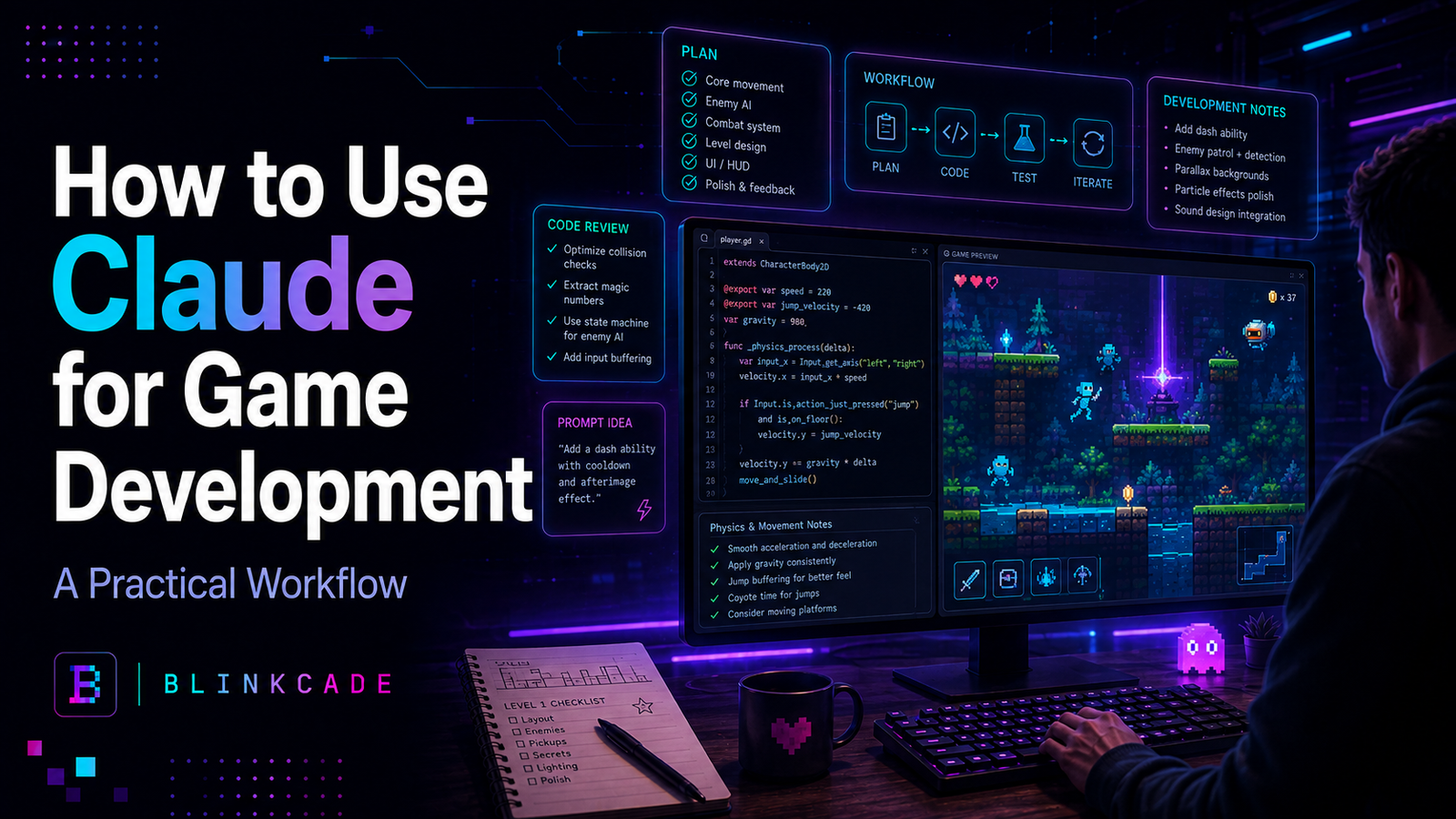
Brief → inspect → plan → implement → test → play → report problems → iterate.
The important lesson is the same one that applies to most AI coding tools: don’t give Claude responsibility for deciding whether your game is fun. Give it responsibility for technical work that can be clearly specified and verified.
Claude vs Claude Code for game development
The word “Claude” can refer to more than one workflow.
Using Claude through a conversational interface is useful when you want to discuss an idea. You might ask it to help design a combat system, critique a progression loop, explain why a physics calculation is unstable, propose an architecture or turn a rough concept into a proper implementation brief.
Claude Code is different.
It is designed to work directly with software projects. Instead of copying one function into a conversation, the agent can investigate the surrounding repository and perform an engineering assignment against the real codebase.
That distinction becomes increasingly important as a game grows.
A small prototype might have one source file. A commercial game may contain hundreds or thousands of files covering input, rendering, physics, enemies, UI, saves, audio, builds, analytics and platform integrations.
The more interconnected the project becomes, the less useful isolated code generation becomes.
Where Claude is useful in game development
Claude is particularly useful when a task has a clear technical outcome.
It can help design and implement player controllers, combat systems, inventories, enemy state machines, procedural-generation rules, UI systems, save architecture, data formats and editor tooling.
It can also be useful for tasks that are less glamorous but essential to actually shipping a game: refactoring, tests, build configuration, debugging, release automation, documentation and performance investigation.
Anthropic’s own research into roughly 400,000 Claude Code sessions found a useful pattern: humans tended to make more of the planning decisions—what should be done—while Claude made more of the execution decisions about how to implement it. Greater user expertise was associated with higher task success.
That is a good model for game development.
You decide:
The player needs a dodge mechanic because combat lacks an emergency defensive decision.
Claude helps answer:
How should we add that mechanic to this particular codebase without breaking movement or collision?
Step 1: Give Claude a real game brief
Before asking Claude to create code, give it stable context.
For example:
# Game Brief

## Game
Signal Runner

## Genre
2D action roguelite

## Core Loop
Enter arena.
Fight enemy waves.
Collect upgrade energy.
Choose one upgrade.
Survive the boss encounter.
Start another run.

## Technical Stack
- TypeScript
- Phaser
- Vite
- Vitest
- Playwright

## Design Rules
- Runs target 10–15 minutes.
- Movement should feel immediate.
- Player decisions matter more than grinding.
- Keyboard and gamepad are first-class controls.

## Engineering Rules
- Gameplay code must remain independent of platform APIs.
- Do not replace working systems without a clear reason.
- Prefer the smallest change that satisfies the requirement.
- Add tests for deterministic gameplay rules where practical.

## Current Milestone
Player movement, one weapon, one enemy and one arena.
Claude’s current prompting guidance emphasizes clear, explicit instructions and sufficient context.
Game development benefits enormously from that principle.
If you leave your design assumptions unstated, the AI has to invent them.
Step 2: Make Claude investigate before changing code
One of the best prompts you can give a coding agent is essentially:
Understand this before touching it.
For example:
Read the game brief and inspect the existing project.

Do not modify any files yet.

Explain:

- the current scene architecture,
- how player movement works,
- where input is handled,
- how collision is calculated,
- how game state is stored,
- which tests cover movement,
- any risks relevant to adding a dash mechanic.

Do not speculate about files you have not inspected.
This reduces a common AI-development failure mode: producing a technically reasonable solution for an architecture your project does not actually use.
Anthropic’s current prompting documentation explicitly recommends instructing coding agents to investigate referenced code before answering rather than speculating about files they have not opened.
That is especially valuable with games because behavior is often distributed across scenes, components and configuration rather than living in one obvious function.
Step 3: Separate planning from implementation
Suppose you want to add a dodge roll.
Don’t immediately say:
Add a dodge roll.
Instead, first make Claude produce the implementation plan.
We need to add an emergency dodge.

Player experience:
The player should be able to quickly escape an incoming attack,
but the ability should not replace normal movement.

Rules:
- Keyboard: Space
- Gamepad: south face button
- Duration: 120 ms
- Cooldown: 900 ms
- Movement multiplier: 2.5
- Collision with walls remains active
- No invulnerability yet

Do not change files yet.

Inspect the existing movement architecture and propose the smallest implementation.

Identify:
- files that need changing,
- new state required,
- tests that should be added,
- possible interactions with collision and input.
Now you can evaluate the architecture before letting it edit anything.
If Claude proposes replacing your whole movement system, you can reject the plan.
If it proposes adding three small fields and one state transition to the existing controller, that may be much more reasonable.
Step 4: Give Claude acceptance criteria
AI coding improves dramatically when “finished” has an objective meaning.
After approving the plan, your implementation prompt might say:
Implement the approved dash plan.

Do not change unrelated systems.

The task is complete when:

1. Space activates dash on keyboard.
2. The configured gamepad button activates dash.
3. Dash lasts 120 ms.
4. Cooldown prevents another dash for 900 ms.
5. Walls continue to block the player.
6. Existing movement behavior is unchanged outside the dash.
7. Existing tests still pass.
8. New tests cover duration and cooldown.
9. Production build succeeds.

When finished, report:
- every file changed,
- tests run,
- build result,
- anything you could not verify.
This is much more powerful than:
Make the dash work.
The first prompt defines a verifiable engineering task.
The second defines a subjective destination.
Step 5: Let tests verify code—but not game feel
Claude can help write and run automated tests, which is one of the strongest uses of an agentic coding workflow.
Suppose an enemy should attack every 1.5 seconds.
A test can verify that.
Suppose player health should never fall below zero.
A test can verify that.
Suppose a procedural-generation system should return identical output for the same seed.
A test can verify that.
But suppose your dash technically lasts exactly 120 milliseconds.
A test cannot tell you whether the dash feels satisfying.
That remains a playtest question.
Game development therefore benefits from two distinct verification loops:
Technical verification
Does the system behave according to the rules?
and:
Experiential verification
Does the mechanic produce the intended player experience?
Claude can automate much of the first.
A human still needs to judge the second.
Step 6: Give Claude playtest observations instead of opinions
After playing the build, don’t say:
The dash feels bad.
Give it observations.
For example:
The dash implementation passes its tests.

After five playtest runs I observed:

- The dash feels too long.
- Players travel farther than expected in small rooms.
- The cooldown feels reasonable.
- Collision behavior is correct.
- Normal movement still feels good.

Change only the dash duration and speed.

New target:
- duration: 85 ms
- preserve roughly the current total travel distance
- cooldown remains 900 ms

Update the tests accordingly.
This allows the human to handle judgment while Claude handles implementation.
That division of labor works well.
Step 7: Use Claude for debugging as an investigator
AI coding agents are often most useful when they are not immediately writing code.
Imagine your game freezes occasionally after returning to the main menu.
A poor prompt is:
Fix the freeze.
A better debugging assignment is:
Investigate an intermittent freeze.

Observed behavior:

- Happens after returning from gameplay to the main menu.
- Roughly 1 in 8 transitions.
- Music continues playing.
- UI stops responding.
- No uncaught browser error appears.
- Reloading fixes it.

Do not edit the code yet.

Inspect:
- scene shutdown,
- event subscriptions,
- timers,
- input listeners,
- async asset loading,
- persistent objects.

Rank likely causes according to evidence from the codebase.

Then propose the smallest instrumentation or test needed to confirm the top hypothesis.
This prevents Claude from solving the first plausible problem it imagines.
Instead, it has to gather evidence.
Step 8: Store project rules permanently
As your game grows, there will be things Claude needs to know on every assignment.
For example:
# Project Rules

## Protected systems

Do not modify without explicit approval:
- authentication
- monetization integration
- analytics schema

## Gameplay

Gameplay systems must not directly call platform APIs.

## Scope

Do not replace a working subsystem just because another architecture is cleaner.

## Quality

Gameplay-system changes should run:
- unit tests
- lint
- production build

## Reporting

At completion report:
- changed files
- tests executed
- failures
- unresolved risks
This gives your AI developer a stable operating manual.
It also prevents you from spending every session writing:
Please don’t rewrite everything.
again.
Step 9: Prevent overengineering
Generating code is cheap for an AI.
Complexity isn’t.
This creates a subtle problem.
Claude may be perfectly capable of creating:
WeaponManager
WeaponFactory
WeaponService
WeaponRegistry
WeaponEventBus
WeaponConfigurationProvider
for a prototype with one pistol.
That doesn’t make it a good design.
A useful game-development instruction is:
Prefer the smallest architecture that satisfies the current requirement.

Do not create abstractions for hypothetical future features.

Reuse existing patterns when they are adequate.
This is one of the most important protections you can add to an AI-assisted project.
Step 10: Use parallel work only when the tasks are independent
Agentic development makes parallel work increasingly practical.
You could have one workstream investigate performance while another adds tests and another audits save-data reliability.
That can accelerate development.
But don’t have three agents simultaneously redesigning combat.
For a game, good parallel tasks might be:
Workstream A: profile asset-loading performance.
Workstream B: expand save-system tests.
Workstream C: audit controller accessibility.
A bad combination would be:
Agent A: restructure PlayerController.
Agent B: add dash to PlayerController.
Agent C: refactor PlayerController input.
You’ll spend the saved coding time reconciling three different versions of the same system.
A Claude prompt template for game development
Here is a reusable format:
<goal>
What should change?
</goal>

<player_experience>
What should the player notice or be able to do?
</player_experience>

<context>
Relevant systems, files, game brief and current implementation.
</context>

<requirements>
Exact required behavior.
</requirements>

<constraints>
What must remain unchanged?
What should Claude not redesign?
</constraints>

<verification>
Tests, build checks and manual acceptance conditions.
</verification>

<done_when>
The objective evidence required before declaring the task complete.
</done_when>

<report>
List changed files, tests, build result and unresolved concerns.
</report>
You don’t need XML for every tiny request.
But for complicated development tickets, the structure can be useful.
Claude for Unity, Unreal, Godot, Roblox and browser games
The overall workflow is largely engine-independent.
With Unity, Claude may work primarily with C#, components, ScriptableObjects, editor scripts and test infrastructure.
With Unreal, the work may involve C++, Blueprint-related architecture, Unreal’s object lifecycle and build tooling.
With Godot, it may involve GDScript or C#, nodes, scenes, signals and engine-version-specific APIs.
With Roblox, it may involve Luau, client/server boundaries and Studio project structure.
With Phaser or another browser framework, it may involve TypeScript, JavaScript, scenes, Vite, browser APIs and automated web testing.
The language changes.
The workflow remains:
understand the project → make a bounded plan → implement → verify → playtest.
What should Claude not decide?
Claude can help answer:
How should this weapon system be implemented?
It should not automatically answer:
Should this game have a weapon system?
That is a creative/product decision.
The developer should retain control over scope, game feel, pacing, difficulty, progression, art direction, monetization philosophy and the core emotional experience.
That isn’t a weakness.
It may be the ideal relationship.
Claude vs Claude Code
Use normal Claude when the problem is primarily about understanding and thinking:
game concepts, mechanic critiques, architecture conversations, balancing approaches, design documents, explanations and planning.
Use Claude Code when the assignment requires acting on a real repository:
inspecting files, implementing features, fixing bugs, writing tests, running commands, reviewing the project and performing iterative engineering work.
For serious AI-assisted development, you’ll likely move between both modes.
The conversation determines what should happen.
The coding agent helps make it happen.
Blinkcade verdict
Claude is most useful for game development when you treat it as a capable technical collaborator with access to clear requirements and real project context.
The weak workflow is:
Describe entire game → ask AI to build it → hope.
The stronger workflow is:
Brief → inspect → plan → implement → verify → playtest → observed feedback → refine.
Give Claude enough context to understand the project.
Make it inspect code instead of guessing.
Keep assignments small enough to verify.
Define what “done” means.
Require tests where tests make sense.
Review changes before accepting them.
Then play the actual game.
Claude can dramatically increase the amount of engineering work one developer can attempt.
But the quality of the finished game still depends on the quality of the decisions directing that work.
Sources & verification
- Anthropic — Claude Code in an Hour: https://www.anthropic.com/webinars/claude-code-in-an-hour-a-developers-intro
- Anthropic — Claude Code and expertise research: https://www.anthropic.com/research/claude-code-expertise
- Anthropic Docs — Prompt engineering: https://docs.anthropic.com/en/docs/build-with-claude/prompt-engineering/prompt-templates-and-variables
Last verified: September 2, 2026
Blinkcade original contribution: game-specific Claude workflow, structured game-development prompt format, investigation-first debugging protocol, human-playtest/AI-execution separation, and repository rule framework.